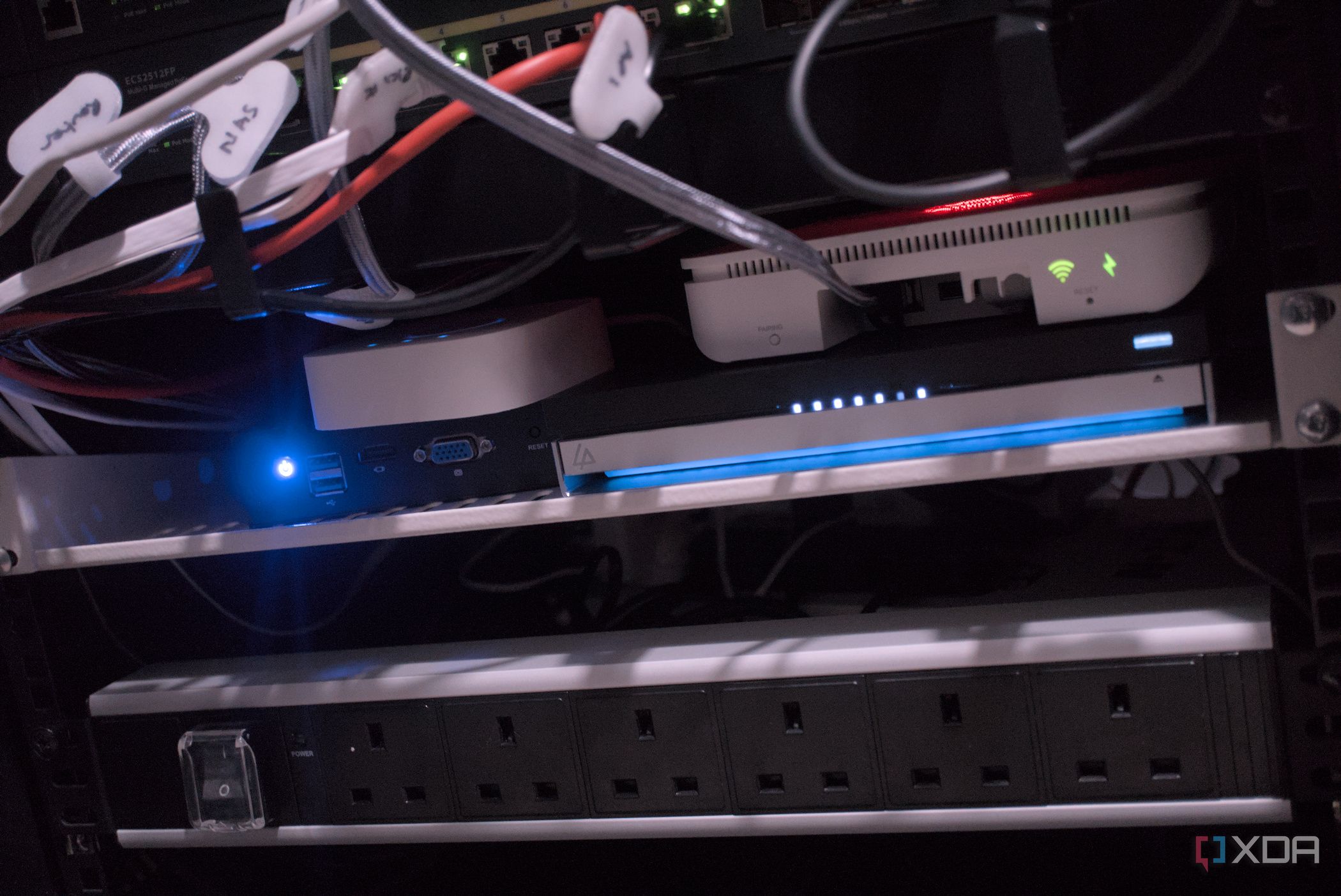
Managing a home network can quickly become a daunting task, especially when tangled cables and numerous power adapters contribute to chaos. After years of dealing with a cluttered network closet filled with various devices and bulky transformers, I decided to implement Power over Ethernet (PoE) technology. This change allowed me to eliminate half the power adapters and significantly simplify my setup.
Building a smart home lab is an exciting venture, but it often leads to unexpected complications. My network closet housed two mini PCs running Proxmox, several IP security cameras, two Wi-Fi access points, and a Raspberry Pi running Pi-hole. Each device required its own AC adapter, leading to a reliance on multiple power strips. Disconnecting any device was tedious, and larger power adapters frequently blocked adjacent sockets, resulting in a chaotic environment.
The situation became untenable when the heat generated by the devices began to accumulate in the confined space. The combination of a firewall and other smart home equipment created an environment that was not only cluttered but also overheated. It was clear that a change was necessary.
Embracing Power over Ethernet
Power over Ethernet allows both data and electrical power to be transmitted over the same Ethernet cable. Since data transfer is essentially electrical signals, using a single cable for both functions is a logical solution. PoE-supporting switches enable this capability, allowing devices like IP cameras and smart home gadgets to operate without the need for separate power sources.
In my case, I replaced bulky AC adapters with a single Cat6 link, which streamlined the entire setup. The introduction of PoE+ further enhanced the system, enabling higher power delivery over the same cables. This feature allows devices such as entire PCs to be powered via PoE, simplifying management and diagnostics.
Selecting the appropriate PoE switch was straightforward. I opted for a cost-effective option, the YuanLey YS25-04-02M, which features four 2.5Gb ports and two 10Gb uplinks. This managed switch provided ample capacity to support all connected devices, addressing many of the issues previously encountered. Through various tests, I confirmed that the switch operated efficiently and did not communicate unnecessary data over the local area network (LAN).
By consolidating power through PoE, I not only reduced the number of failure points but also minimized heat generation within the cabinet. The switch, along with all connected devices, is supported by an Uninterruptible Power Supply (UPS), maximizing uptime and reliability during power outages. This integration is particularly beneficial for maintaining network infrastructure, such as access points, during outages.
Efficiency and Future Expansion
One of the most significant advantages of transitioning to a PoE-focused setup is the ease of adding new devices. Previously, I needed to carefully plan the installation of new equipment, considering both Ethernet and power routing. Now, installing new devices is as simple as running a single cable from the PoE switch.
While there is no maximum length for Ethernet cables within a home, ensuring high-quality cabling is essential to avoid potential issues. Nonetheless, it is crucial to monitor the power budget of the switch, as total device draw must remain within set limits. Documenting the power usage of all devices is a wise practice, especially when managing a PoE-enabled network.
Overall, switching to a PoE system has transformed my network cabinet into a cleaner and more efficient space. The reduction of clutter has not only improved the aesthetics of the setup but also enhanced its functionality. Each time I open the cabinet door, I take pride in the streamlined organization and the efficiency that Power over Ethernet has brought to my home lab.