








































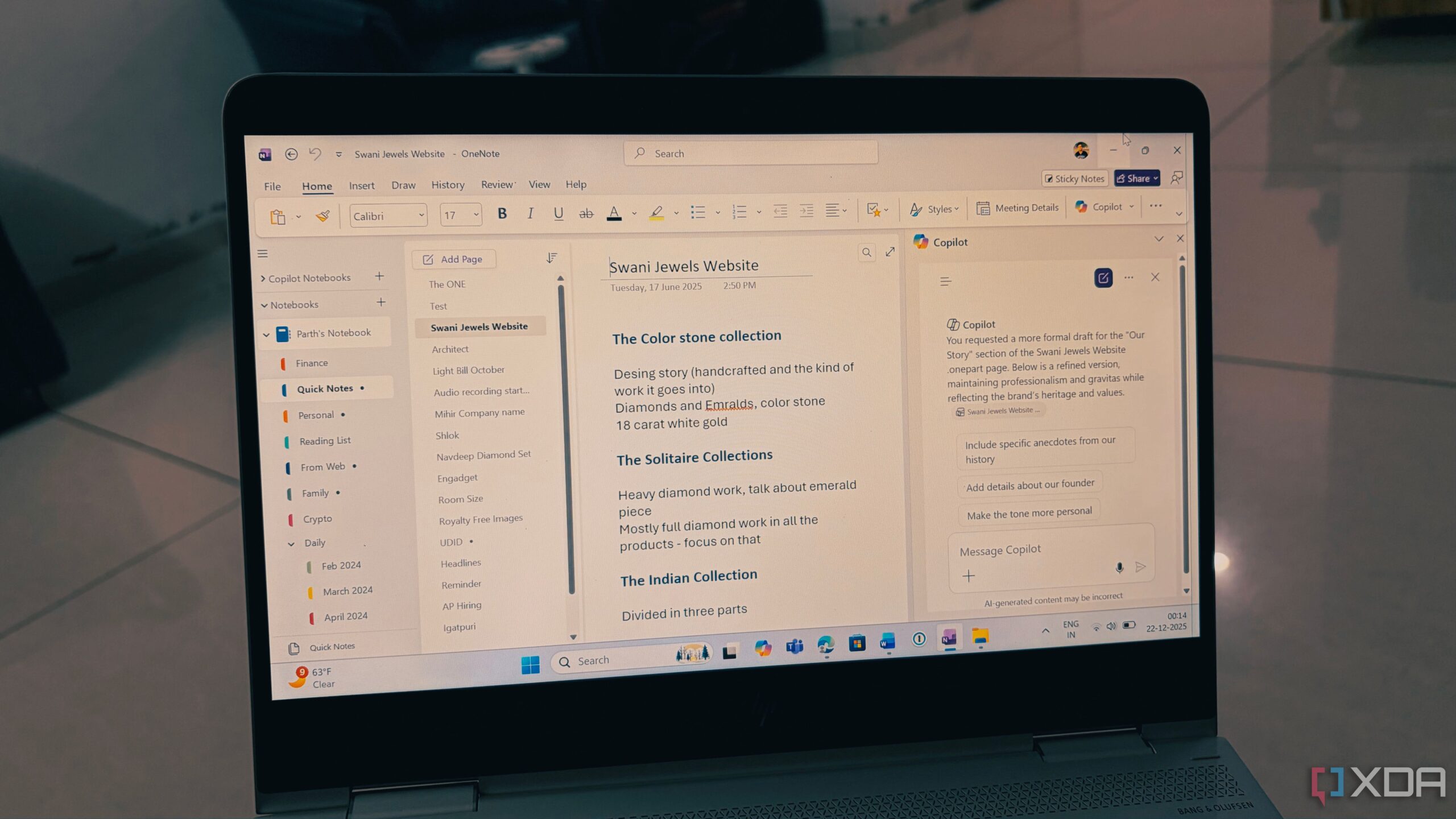
Microsoft’s integration of Copilot into its note-taking application, OneNote, has prompted significant changes in how users manage their workflows. This new feature enhances OneNote’s functionality, allowing it to evolve from a basic note repository into a dynamic tool that can actively assist users in organizing and executing their tasks.
Challenges in Accessing Copilot
Before users can fully utilize Copilot, there are several prerequisites to consider. Notably, a standard Microsoft 365 subscription does not guarantee access; users must subscribe to either a Personal or Family plan. For those on a Family plan, it is essential to be the primary account holder, as benefits do not extend to other members of the group. This limitation can lead to frustration, as users may need to troubleshoot access issues before experiencing the benefits of Copilot.
Moreover, Copilot’s current availability is restricted to Windows, which poses a challenge for users who primarily rely on devices like iPads or Macs. The feature is not yet accessible through the Mac app, mobile app, or OneNote for the web, requiring users to switch to a PC for a full experience. This limitation somewhat diminishes the convenience that OneNote users expect from a cloud-based application.
Enhancing Productivity with Copilot
Once integrated, Copilot transforms OneNote into a powerful productivity tool. Initial expectations may lead users to view Copilot as merely a summarization tool, but its capabilities extend far beyond that. For instance, users can take unstructured notes and instruct Copilot to create a prioritized to-do list complete with deadlines. In mere seconds, what was once a chaotic brainstorm can be organized into a clear, actionable format.
Additionally, Copilot can assist users in drafting comprehensive project plans. By inputting a simple request, such as “Draft a project plan for a three-month product launch,” Copilot can generate an outline that includes phases, milestones, and suggested talking points, effectively acting as an on-demand project manager.
The feature also enhances the clarity of notes. Users can utilize the Rewrite tool to refine their text. For example, highlighting a section and asking Copilot to “Rewrite this as a 10-step quick start guide” allows for quick rephrasing and formatting, which saves considerable time during the editing process.
Users have reported that Copilot significantly streamlines their daily routines. For example, before a weekly meeting, instead of sifting through multiple pages of notes, users can prompt Copilot to retrieve specific information, such as “Get me my week 3 pitches from the note.” This capability reduces preparation time and enhances meeting effectiveness.
Copilot also aids in extracting actionable items from brainstorming sessions. Users can command it to format their ideas into a table that includes task, priority, and due date columns, allowing for better organization and execution of plans.
Previously, users relied on tools like NotebookLM for optimization of their OneNote experience, but many now prefer Copilot as their primary assistant. Its integration has shifted the perception of OneNote from a simple digital notebook to a more interactive and intelligent assistant that can actively contribute to productivity.
In conclusion, the integration of Copilot into OneNote marks a significant advancement in note-taking technology. Users are encouraged to explore this feature, as it could lead to an entirely redefined approach to managing tasks and information. Those yet to experience the Copilot functionality should consider signing up for an eligible Microsoft 365 plan to unlock its potential and transform their workflow.
























