







































The rise of alternative software options continues to challenge established giants like Adobe. Many users are seeking cost-effective solutions for graphic design and image editing, leading to the discovery of Pinta, an open-source graphics editor that stands out in this competitive landscape. As subscription fees for Adobe products increase, users are turning to free tools that deliver robust functionality without the financial burden.
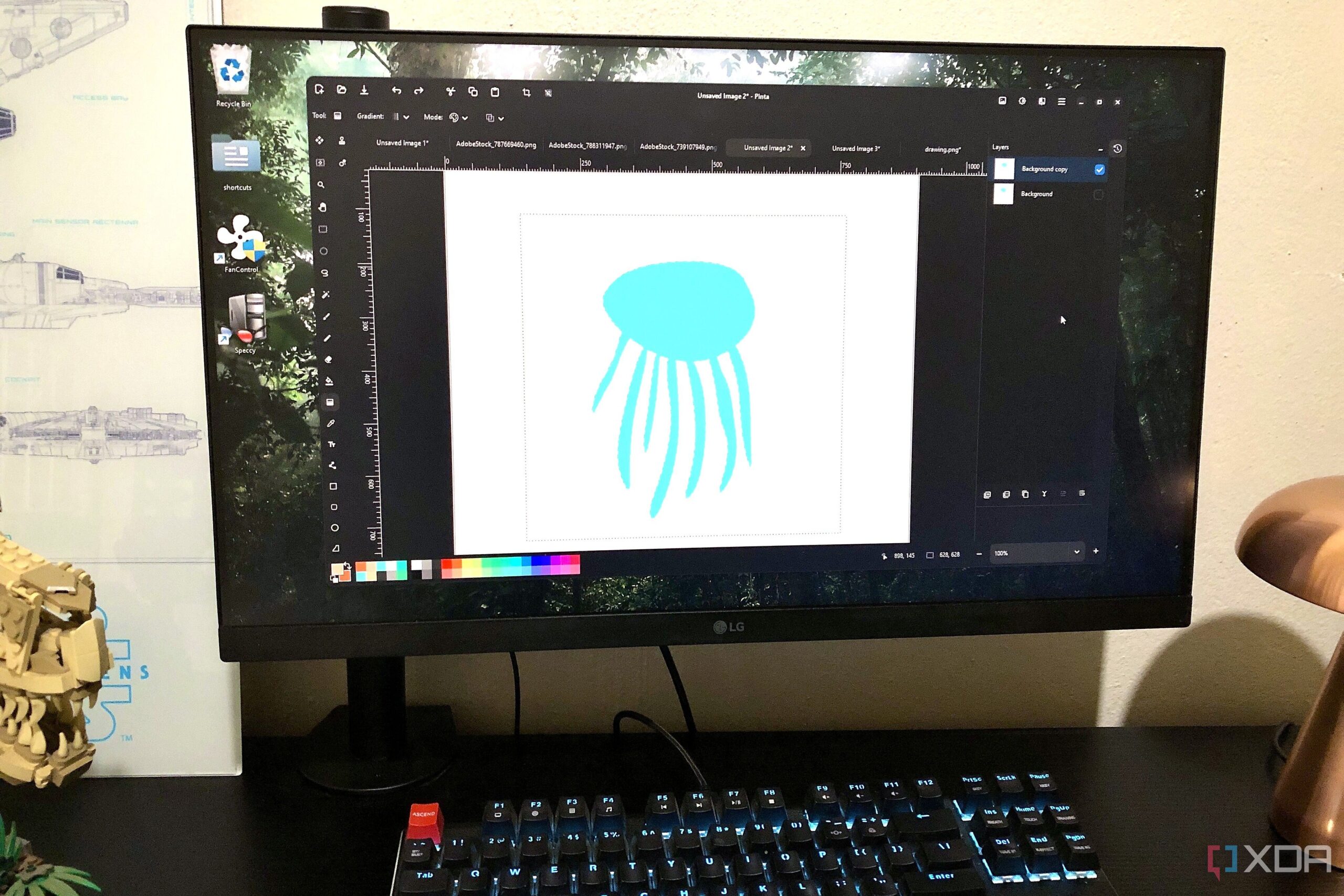
Pinta serves as a cross-platform alternative to Paint.NET, primarily designed for users on Linux and macOS. This lightweight, layer-based raster graphics application is not only user-friendly but also powerful enough to handle both drawing and image editing tasks. Its intuitive interface allows beginners to navigate easily, while experienced users will appreciate the sleek design that facilitates efficient workflows.
Features of Pinta for Casual and Advanced Users
Pinta offers a straightforward workspace ideal for creating illustrations and enhancing images. The multi-layer functionality includes essential tools such as history, masking, selecting, brushing, and coloring, without overwhelming users with professional-grade controls. This balance makes it an excellent choice for casual creators, students, bloggers, and budget-conscious designers.
Supported formats include popular types such as PNG, JPG, TIFF, BMP, and OpenRaster. Users can easily manipulate graphics with accessible features like cropping, resizing, flipping, and rotating images. The selection of filters allows for creative enhancements, such as transforming images into paintings with a single click or adding noise effects.
For those seeking more advanced capabilities, Pinta does not disappoint. It includes essential selection tools like Lasso and Magic Wand, as well as layer management features that facilitate complex graphic compositions. The application also supports plugins and add-ons, further extending its functionality for users who desire additional editing capabilities.
Limitations and Considerations
Despite its many strengths, Pinta does have limitations. While it provides a solid foundation for basic and intermediate graphic design tasks, it lacks support for PSD files and advanced features such as adjustment layers and Smart Objects. Consequently, it may not be the best fit for professional client work or those looking to build a comprehensive graphics portfolio. Alternatives like Affinity or GIMP might be more suitable for users with these specific needs.
Pinta emerged as a refreshing alternative for those disillusioned with traditional software subscriptions. For users who require a capable yet straightforward graphic editing tool, Pinta presents an enticing option. With no subscription fees and no data collection, it is a compelling choice for anyone looking to explore their creative potential without financial constraints. As graphic design and photography continue to evolve, tools like Pinta are likely to gain traction among those seeking accessible and effective solutions.