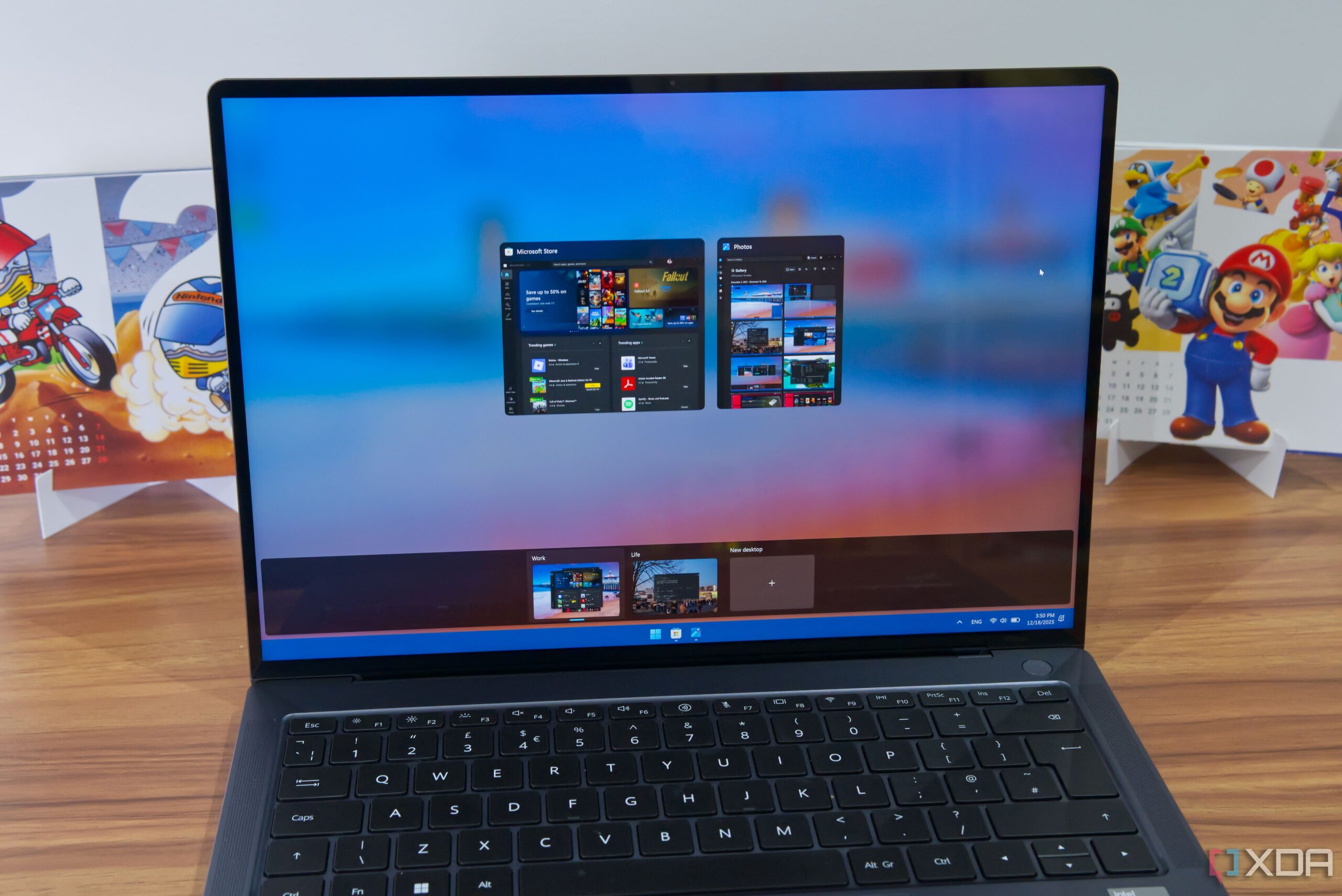
Microsoft’s Windows 11 has made significant strides in enhancing productivity through its virtual desktop feature, which allows users to create distinct workspaces for different applications. Although Linux has offered similar functionality for years, Windows 11’s approach presents several advantages that may influence users’ choices when deciding between the two operating systems.
Clear Separation and Customization of Workspaces
One of the most notable strengths of Windows 11 is the clear separation of virtual desktops. Each desktop displays its own applications, providing a streamlined experience. Users can modify this setting to allow apps to appear across multiple desktops. In contrast, Linux environments such as KDE Plasma and GNOME typically show all applications on every workspace, although this can also be adjusted.
Windows 11 further enhances user experience by allowing individuals to rename their workspaces, making it easier to identify tasks in the Task View. Among the various Linux desktop environments, only KDE Plasma offers a similar renaming feature. Another unique aspect of Windows is the ability to assign different desktop backgrounds for each virtual desktop, enhancing visual distinction. On all tested Linux environments, changing the wallpaper applies universally to all workspaces.
Enhanced Multitasking Features
While not strictly part of the virtual desktop functionality, Windows 11 also simplifies multitasking with its Snap Layouts and Snap Assist features. Users can arrange application windows into different layouts quickly. When an application is snapped into place, Windows suggests additional apps to fill the layout, streamlining the process.
Linux’s GNOME environment does provide a basic tiling assistant, but it lacks the flexibility and suggestions that Windows 11 offers. The ability to switch between virtual desktops is intuitive on Windows, whether using a keyboard or touchpad. Still, Linux distributions like Cinnamon do not support touchpad gestures, making the transition less seamless.
While many Linux environments provide effective workspace management, the inconsistency across distributions can frustrate users. For instance, switching between workspaces may involve different keyboard shortcuts depending on the desktop environment. Some distributions utilize the Meta/Super key, while others rely on the Alt key. KDE Plasma does offer specific shortcuts for direct access to workspaces, enhancing usability.
Despite these advantages, certain Linux desktop environments present unique benefits. For instance, some allow users to create separate workspaces for each monitor or let desktops span across virtual monitors. KDE Plasma’s layout management, which resembles Windows 11’s layout system, offers additional customization options. However, it lacks the capability to save custom layouts, which is a feature present in Windows.
User-Friendly Experience
Ultimately, the decision between Windows 11 and Linux for virtual desktops may come down to user preferences and needs. Windows 11 excels in providing a user-friendly experience that requires minimal configuration, appealing to those who prefer an “it just works” approach. Linux, while capable of meeting diverse requirements through various desktop environments and customizations, often demands a deeper dive to unlock its full potential.
For users looking for a straightforward and efficient way to manage their virtual workspaces, Windows 11 emerges as the more accessible option. While Linux can offer additional functionality with the right adjustments, it may not cater to everyone’s desire for simplicity and ease of use, particularly for less experienced users.