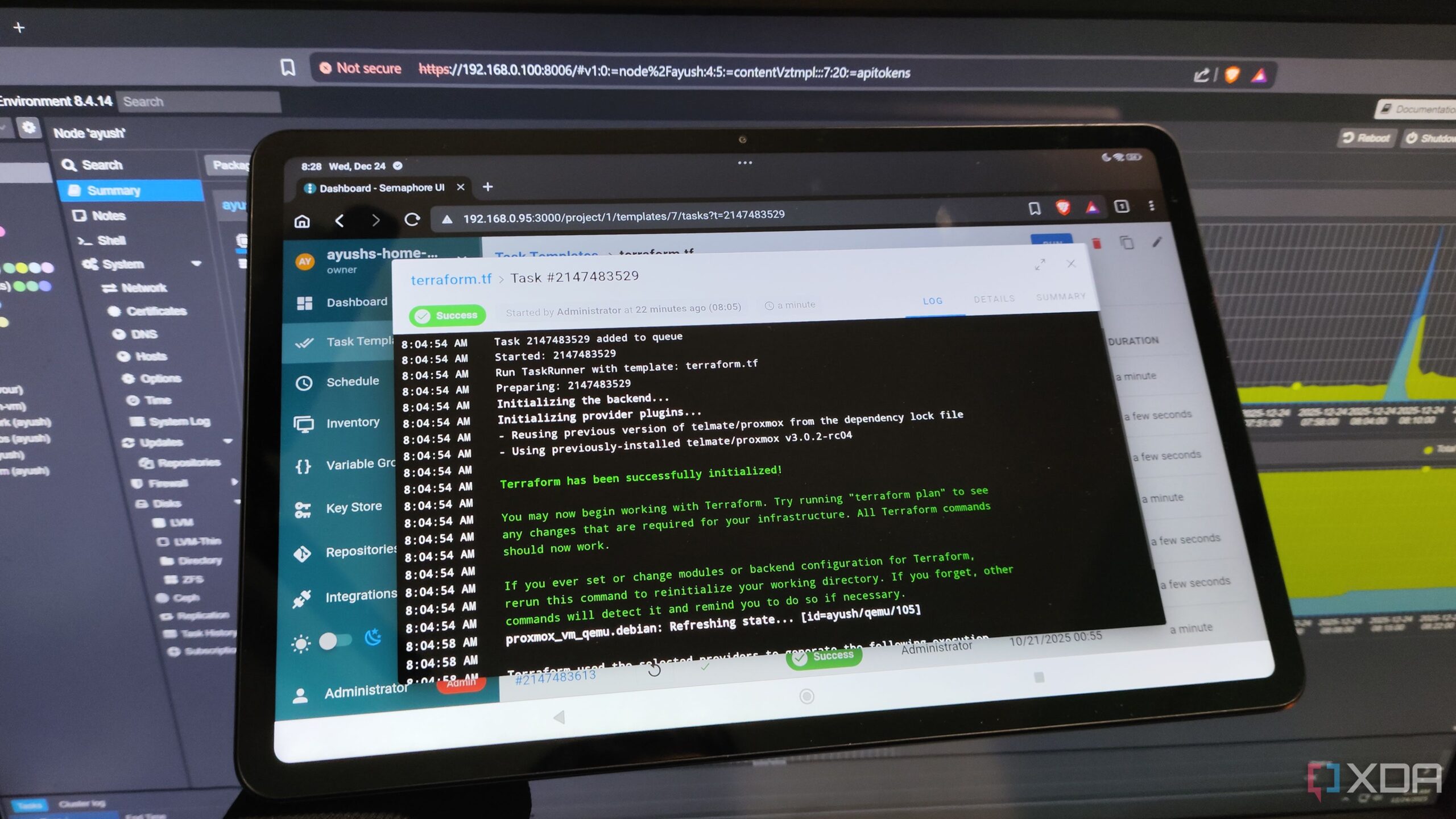
Automating virtual machine (VM) management has been made easier with the integration of Terraform into Proxmox home labs. This combination not only enhances the efficiency of managing self-hosted environments but also provides an excellent platform for developing DevOps skills. Proxmox, known for its lightweight architecture and advanced features like clustering and software-defined networking (SDN), operates effectively on older hardware without incurring licensing fees.
With the capabilities of Terraform, users can provision fully configured virtual guests seamlessly. The process involves utilizing a web interface to deploy testing environments across multiple Proxmox Virtual Environment (PVE) nodes. This automation significantly reduces the time and effort involved in manual setups.
Setting Up a Proxmox Template with Terraform
To begin using Terraform with Proxmox, one must first create a template for the virtual machine. While cloud-init configurations are suitable for lightweight VMs, many users prefer custom templates for their pre-configured environments. This approach simplifies the development process, particularly in troubleshooting scenarios.
For instance, using a straightforward Debian VM template, the setup process involves provisioning a VM traditionally, installing the operating system, and configuring essential packages such as Emacs. After completing these steps, the template is finalized by converting the VM into a reusable format through the Proxmox interface.
Next, the user must generate an API key from the Datacenter settings to facilitate communication between Terraform and Proxmox. With this API key, a .tf file is created, incorporating specific code snippets essential for the proper functioning of Terraform with Proxmox. The current version of the Terraform provider for Proxmox is 3.0.2-rc07, although many users find 3.0.2-rc04 to be compatible with their home lab setups.
Executing Terraform Scripts with Semaphore
While command-line interface (CLI) commands like `terraform init`, `terraform plan`, and `terraform apply` are effective for provisioning, many users opt for graphical alternatives. One such option is Semaphore, which operates as a lightweight container (LXC) on a separate Proxmox node. This tool allows for better organization of configuration settings and automation tasks through a user-friendly interface.
To execute Terraform scripts on Semaphore, users need to paste their configuration into a .tf file, designate the repository, and initiate the task through the interface. This process streamlines the deployment of virtual guests without the need for extensive CLI knowledge, making automation accessible to a broader audience.
In addition to VMs, Terraform can also provision Linux Containers (LXCs). However, it is essential to note that the Telmate provider features different attribute names compared to VMs, necessitating adjustments in configuration. Users must create separate .tf files for LXCs to avoid conflicts with their VM configurations.
While Terraform excels in provisioning, it is worth highlighting that Ansible is often preferred for post-provisioning configurations. With a library of over a dozen playbooks tailored for various distributions, users can effortlessly apply network settings, user configurations, and additional packages to their newly provisioned virtual guests.
In conclusion, the integration of Terraform with Proxmox provides a powerful means of automating virtual machine management. By leveraging templates, API keys, and automation tools like Semaphore, users can significantly enhance their productivity and streamline their DevOps workflows. As technology continues to evolve, the ability to automate processes in home labs becomes increasingly valuable for both novice and experienced IT professionals.