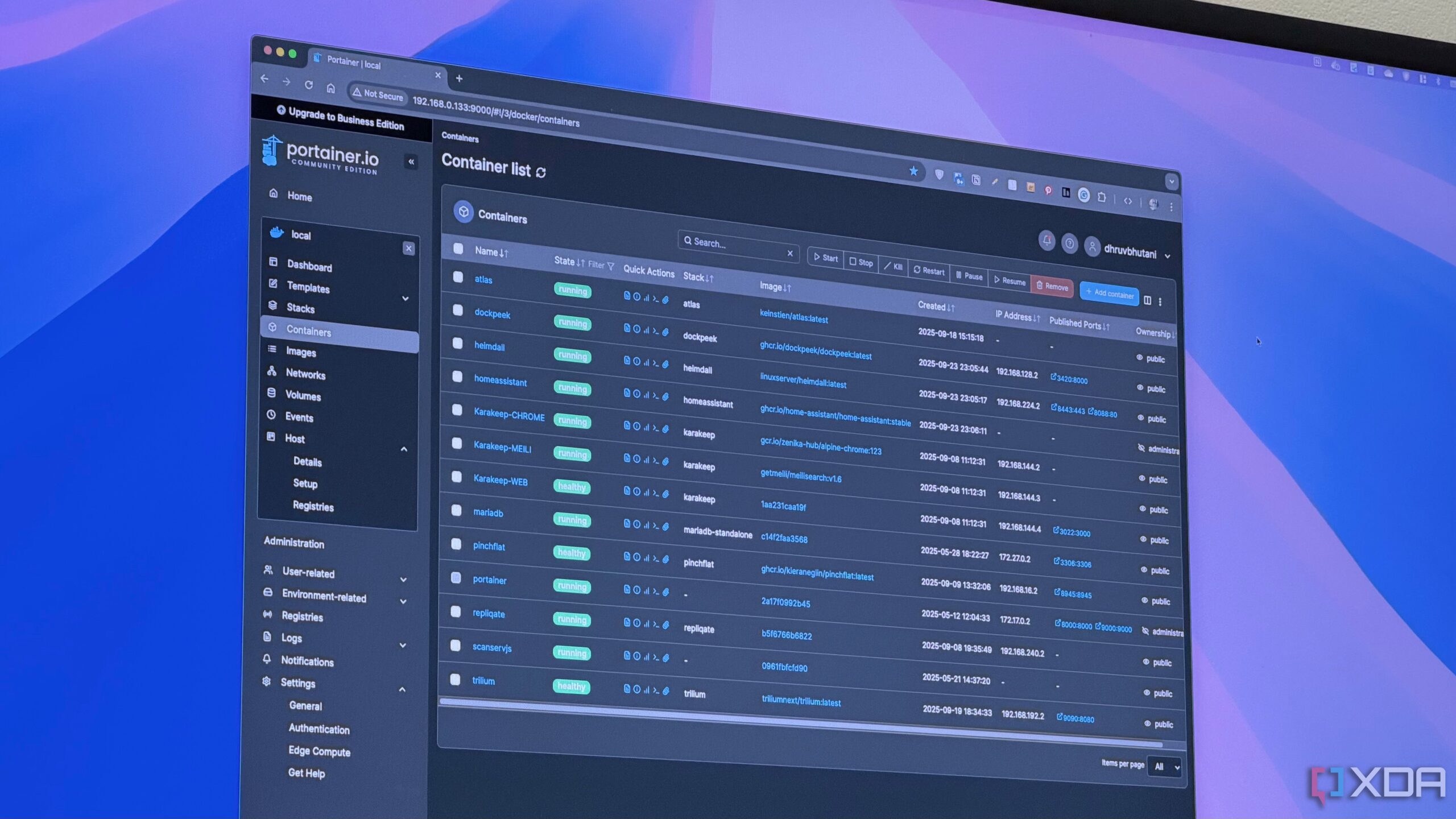
Frequent Docker users have discovered a practical solution for managing disk space with the maintenance tool Portainer. Users, particularly those testing various Docker containers, often find themselves unaware of the significant storage space consumed by unused images and volumes, leading to low storage warnings on their systems.
As Docker has become increasingly popular for running self-hosted services, it has also demonstrated a tendency to accumulate files that take up valuable storage. Docker’s design allows it to retain entire images even after updates, and volumes may remain on disk unless explicitly removed. This issue becomes particularly pronounced for users with multiple containers, such as enthusiasts or those operating on devices with limited storage, like a Raspberry Pi or a small SSD.
Understanding the Storage Challenge
When Docker is actively used, the storage it consumes can escalate unnoticed. Many users may not regularly engage with the command-line interface needed to check storage metrics, making it easy to overlook the extent of the problem. A recent encounter with a low storage notification prompted one user to investigate the situation further using Portainer, revealing dozens of idle images and orphaned volumes consuming space on their system.
Portainer not only simplifies the management of Docker containers but also enhances the visibility of storage use. This tool provides users with a visual overview of containers and their associated images and volumes. By making it easy to identify which images are taking up the most space, Portainer facilitates more informed decisions regarding what to delete.
Benefits of Using Portainer for Maintenance
After using Portainer, the user was able to reclaim tens of gigabytes of storage without affecting any running services, highlighting the tool’s efficiency. Although this may not appear substantial for those with larger systems, it can significantly impact users with limited storage capacities, especially given the rising costs of SSDs.
Portainer’s strength lies in its dual functionality as both a container manager and a diagnostic tool. It allows users to see the relationships between containers, images, and volumes, making it easier to identify unused images that are safe to delete. The tool clearly labels orphaned volumes, streamlining the cleanup process.
The user found the cleanup process to be intuitive and straightforward, eliminating the need for separate management containers or scheduled prune jobs. Regular maintenance with Portainer not only frees up disk space but also contributes to a more organized and efficient Docker setup.
For those operating Docker on a NAS or home server, it is advisable to explore Portainer for effective storage management. Regularly checking and maintaining the system can prevent storage issues and enhance overall performance, making it a valuable addition to any Docker user’s toolkit.