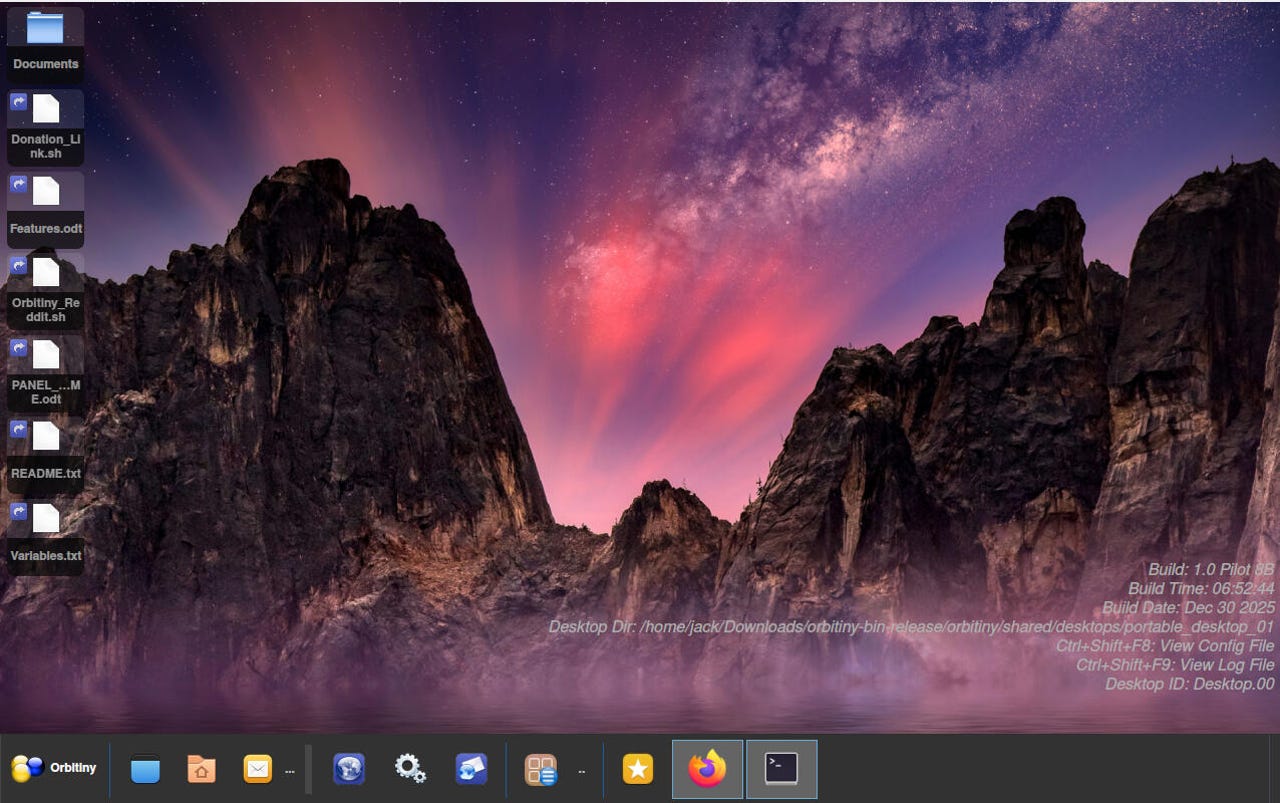
A new portable Linux desktop environment called Orbitiny is making waves by allowing users to run it like an app on their existing systems. Designed from the ground up using Qt and C++, Orbitiny is available for free and can function seamlessly across any Linux distribution.
The innovative approach of Orbitiny reflects the creativity within the Linux community. Unlike traditional desktop environments, Orbitiny operates on top of existing window managers, such as KDE Plasma and GNOME. This means that users can experience a new interface without completely replacing their current desktop setups.
Key Features of Orbitiny
Orbitiny boasts a variety of unique features aimed at enhancing user experience. The default file manager allows users to search not only for files but also their contents, making it easier to locate important documents. Additionally, a customizable desktop panel with plugins extends the functionality, while full drag-and-drop support simplifies file management.
Among other features, Orbitiny includes:
– A built-in clipboard manager for easy content transfer.
– A device manager that streamlines hardware interactions.
– A comprehensive start menu with drag-and-drop capabilities and a sidebar.
– A dashboard displaying active tasks and installed applications.
– Gesture controls that let users draw patterns to launch various actions.
Users can also utilize the portable nature of Orbitiny by copying necessary files onto a USB drive. By plugging the drive into any running Linux system and executing a simple command, the desktop environment becomes readily accessible.
Performance and User Experience
Initial impressions of Orbitiny reveal a surprisingly stable and responsive performance, even while running atop another desktop environment. Users have reported that the interface feels intuitive and performs smoothly, comparable to a native installation.
The file manager’s ability to access files and folders on the host desktop simplifies the user experience, eliminating the need to navigate multiple folder hierarchies. Within the settings menu, users can customize features such as appearance, keyboard shortcuts, and startup applications, further enhancing usability.
Though still in development, with a stable version expected to reach 1.0 status soon, Orbitiny already shows promise for various use cases. Those seeking an innovative desktop experience in Linux will find it worthwhile to explore this new environment.
As the Linux community continues to evolve and innovate, applications like Orbitiny highlight the potential for portability and flexibility in computing. Users may find that having this desktop on a USB drive allows for a familiar and efficient workspace across different Linux distributions.