




































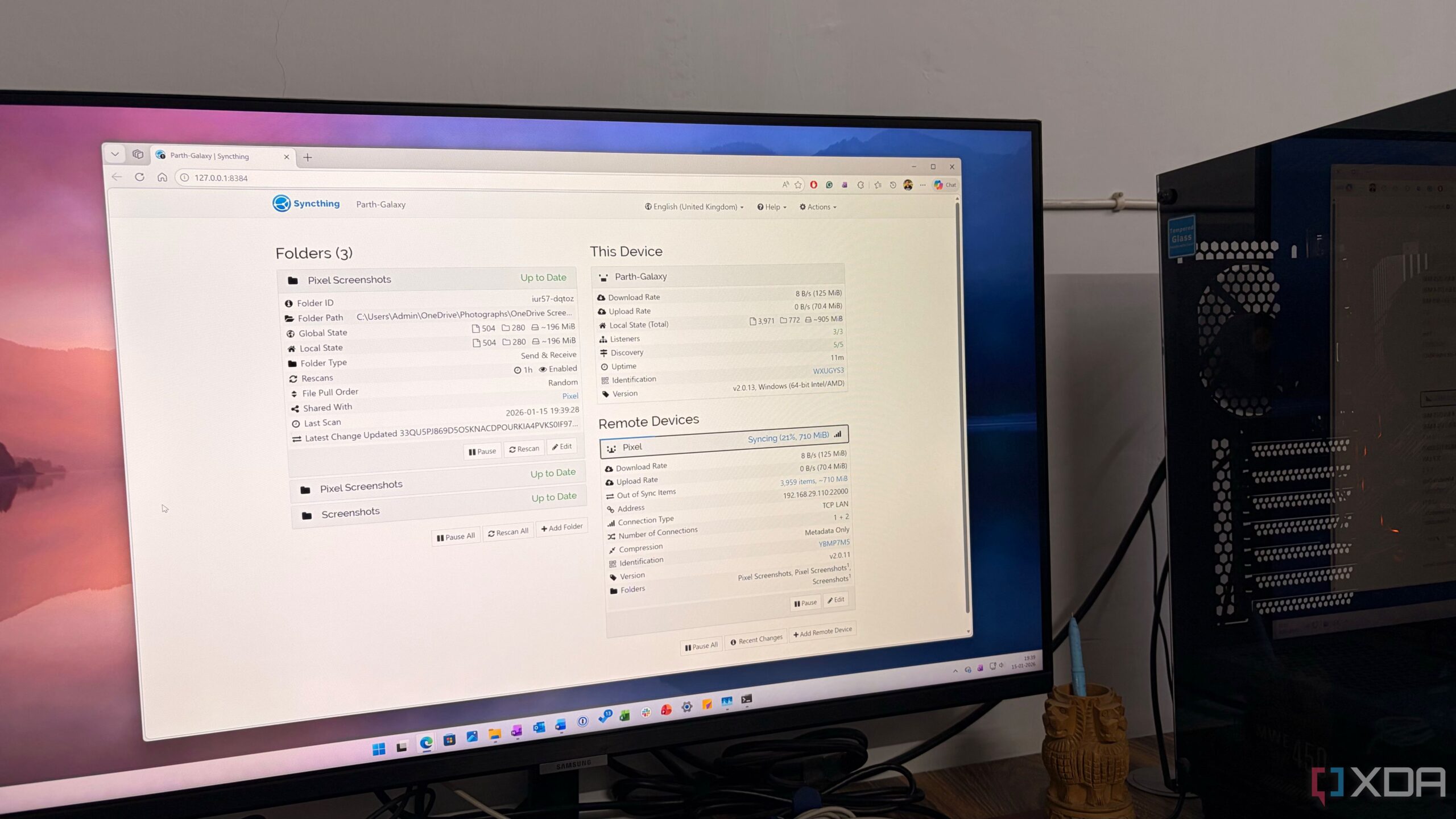
The introduction of a small open-source tool, Syncthing, has transformed the way users share files between their Android devices and Windows laptops. This utility stands out in a crowded marketplace dominated by cloud services and subscription-based applications by offering a seamless, account-free experience. Users can now synchronize files effortlessly across devices, eliminating the need for external servers and the associated complications of traditional file-sharing methods.
How Syncthing Works
Unlike conventional cloud services, Syncthing operates on a peer-to-peer basis, allowing devices to communicate directly with one another without a central server. This setup not only enhances privacy but also provides users with complete control over their data. Syncthing functions as a live synchronization engine, ensuring that files are consistently updated and available on all connected devices.
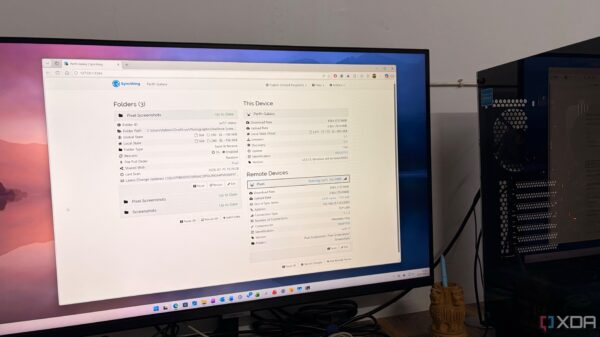
The transparency of Syncthing’s operations is another significant advantage. Users can monitor which devices are connected, the speed of data transfer, and the specific folders in use. This level of insight reassures users about the whereabouts of their files, as they can trace their data to the hard drives where it resides.
The simplicity and efficiency of Syncthing have garnered attention. By focusing solely on the task of file synchronization, it avoids the distractions of subscriptions or unnecessary features. This utility operates quietly in the background, making it a reliable choice for those who prioritize functionality.
Real-World Applications of Syncthing
The practical benefits of using Syncthing become apparent in daily workflows. For instance, users who frequently move data between devices—such as media from WhatsApp or various screenshots—can streamline their processes significantly. With Syncthing configured to monitor specific folders, any new file, such as a screenshot taken on a Pixel 8, is automatically transferred to the designated folder on a Windows PC. This instant synchronization allows users to focus on their tasks without manual intervention.
Additionally, the bidirectional nature of Syncthing allows for seamless file transfers in both directions. Users can easily send documents from their computers to their mobile devices, ensuring that important files are always accessible, whether in a meeting or on the go.
While setup may require some technical knowledge, the process is straightforward. Once users familiarize themselves with device IDs and folder paths, they can enjoy a hassle-free experience. After initial configuration, many users find that they have little need to adjust the settings again.
Battery consumption is another consideration. Initially, there were concerns that a constant background sync might drain device batteries. However, Syncthing allows users to set preferences that restrict heavy sync operations to Wi-Fi or while the device is charging. This thoughtful design means that battery life is preserved without sacrificing performance.
Security is a crucial aspect of Syncthing’s appeal. Each device within the network is identified by a unique cryptographic ID, ensuring that only authorized devices can communicate. Furthermore, as an open-source application, Syncthing has undergone extensive scrutiny from the community, eliminating the risks associated with hidden backdoors that could compromise user data.
Conclusion: A New Era of File Sharing
The advantages of Syncthing extend beyond its cost-free nature; it empowers users by providing full control over their data without relying on external servers or cloud services. By seamlessly integrating Windows PCs and Android devices, Syncthing redefines the file-sharing experience. For anyone looking to enhance their productivity while safeguarding their data, installing Syncthing is a worthwhile investment.
In addition to Syncthing, other open-source tools are available for users interested in optimizing their workflow. As technology continues to evolve, these tools bring users closer to achieving a streamlined digital life.